XREAL
XREAL gives you a screen. Beyond Chorus fills it with words.
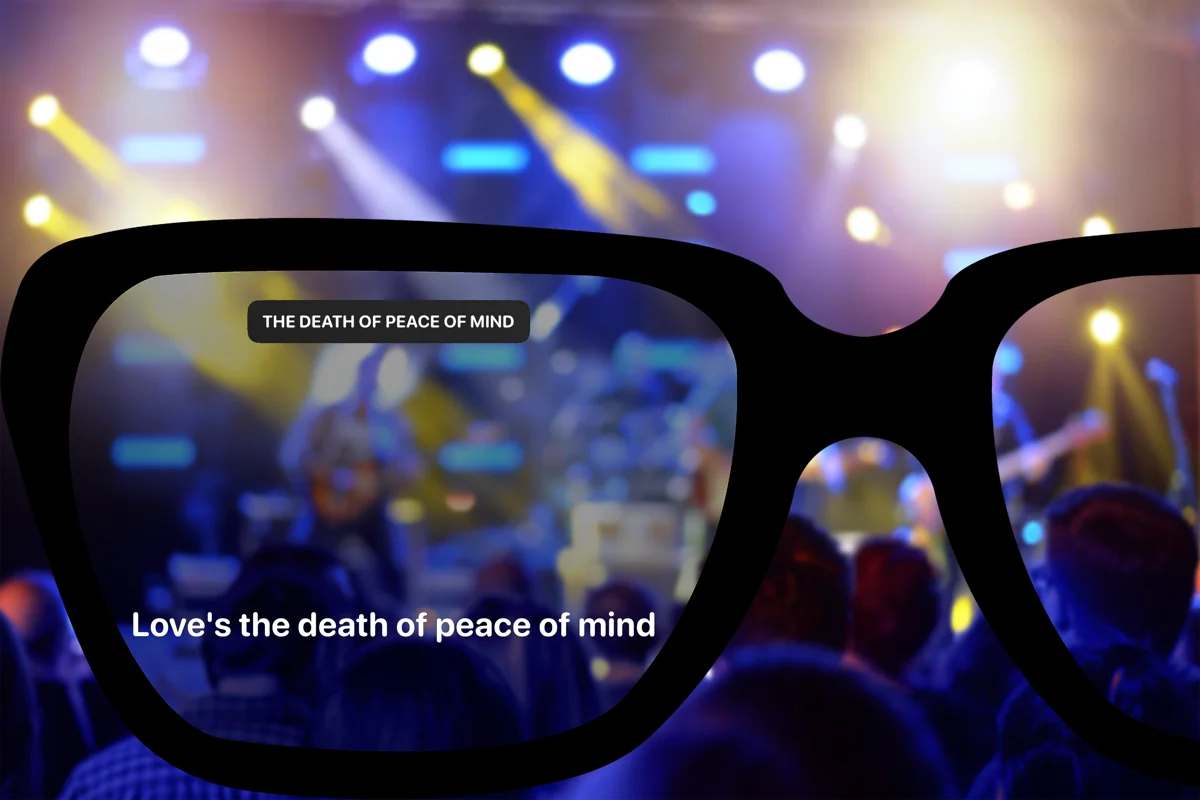
XREAL glasses connect as an external display over USB-C. Beyond Chorus can use the full display for lyrics, timing, and any effects triggered by the show operator.
how it differs
Lyrics and effects on your glasses
XREAL glasses connect to your phone as an external display over USB-C. Beyond Chorus puts the lyrics on the glasses and keeps the controls on your phone.
At a LiveSync show, the glasses also display effects cued by the crew. You can start and stop lyrics or adjust the timing from your phone.
setup
Set up your XREAL glasses
01
Connect with a video-capable USB-C cable
XREAL glasses appear to your phone as an external display over DisplayPort Alt Mode. The cable in the box works; a charge-only USB-C cable carries power but no video, and the glasses will stay dark.
02
Open Beyond Chorus
Beyond Chorus detects the external display and moves the lyric view onto it. The phone keeps the controls, so you can start, stop, and nudge timing without taking the glasses off.
03
Start a song
Recognise a song, join a LiveSync show, or choose a song from a concert setlist. The glasses show the lyrics and any effects cued by the show.
support
What works and what does not
| XREAL Air, Air 2, Air 2 Pro | Supported | Yes |
|---|---|---|
| XREAL One, One Pro | Supported | Yes |
| XREAL Project Aura | Supported | Yes |
| Full lyric view | Lyrics and visuals on the glasses display | Yes |
| LiveSync visual effects | Fire, confetti, strobe and the rest all render | Yes |
| Charge-only USB-C cable | No video over the cable; glasses stay dark | No |
| Lightning iPhones | No DisplayPort Alt Mode available | No |
questions
XREAL questions
- Which XREAL glasses does Beyond Chorus support?
- XREAL Air, Air 2, Air 2 Pro, One, One Pro, and Project Aura. Any AR glasses that present themselves to the phone as a USB-C DisplayPort Alt Mode external display should work the same way.
- Why are my XREAL glasses not showing anything?
- The most common cause is a charge-only USB-C cable, which carries power but not video. Use the cable that came with the glasses or another cable rated for DisplayPort Alt Mode, then restart Beyond Chorus after connecting.
- Do visual effects work on XREAL?
- Yes. XREAL shows the full lyric view, including LiveSync effects cued by the show operator.
- Does this work on both iPhone and Android?
- Yes, if the phone supports video over USB-C (DisplayPort Alt Mode). Check your phone model before buying a cable or glasses. A USB-C port alone does not guarantee video output, and Lightning iPhones cannot connect directly.
- Can I use XREAL glasses in a car?
- Not as a driver, and Beyond Chorus does not support it. Car lyrics run on the in-car browser and are for passengers or a parked car.
- Is XREAL support behind a subscription?
- No. Projecting to glasses is on the free tier. Beyond Chorus Pro adds translation, playlist export, watermark-free concert recaps, and saving more than one glasses profile.
Keep reading
All supported glasses
Compare supported models and their lyric displays.
Lyrics on Even Realities G2
The text-first alternative when you want something nobody else notices you wearing.
Lyrics on Apple Vision Pro
A native visionOS app rather than a mirrored phone screen.
Lyrics at concerts
Choose songs yourself or follow a LiveSync show.