
Accessible concert lyrics
Live vocals aren’t always easy to follow. Keep the current line clear.
Read the lyrics on your phone or supported glasses. Pick songs from the setlist, or follow the crew at a LiveSync show.
the problem
Live vocals can be hard to follow
A loud crowd and an unfamiliar song can make the words hard to catch. Reading the lyrics gives deaf and hard-of-hearing fans another way to follow the performance.
You can use the app without any setup from the venue. At shows that offer LiveSync, the crew keeps the lyrics in time for the audience.
What it looks like
Choose where to read the lyrics
Use your phone or supported glasses to read along. At LiveSync shows, the crew controls the timing for the audience.
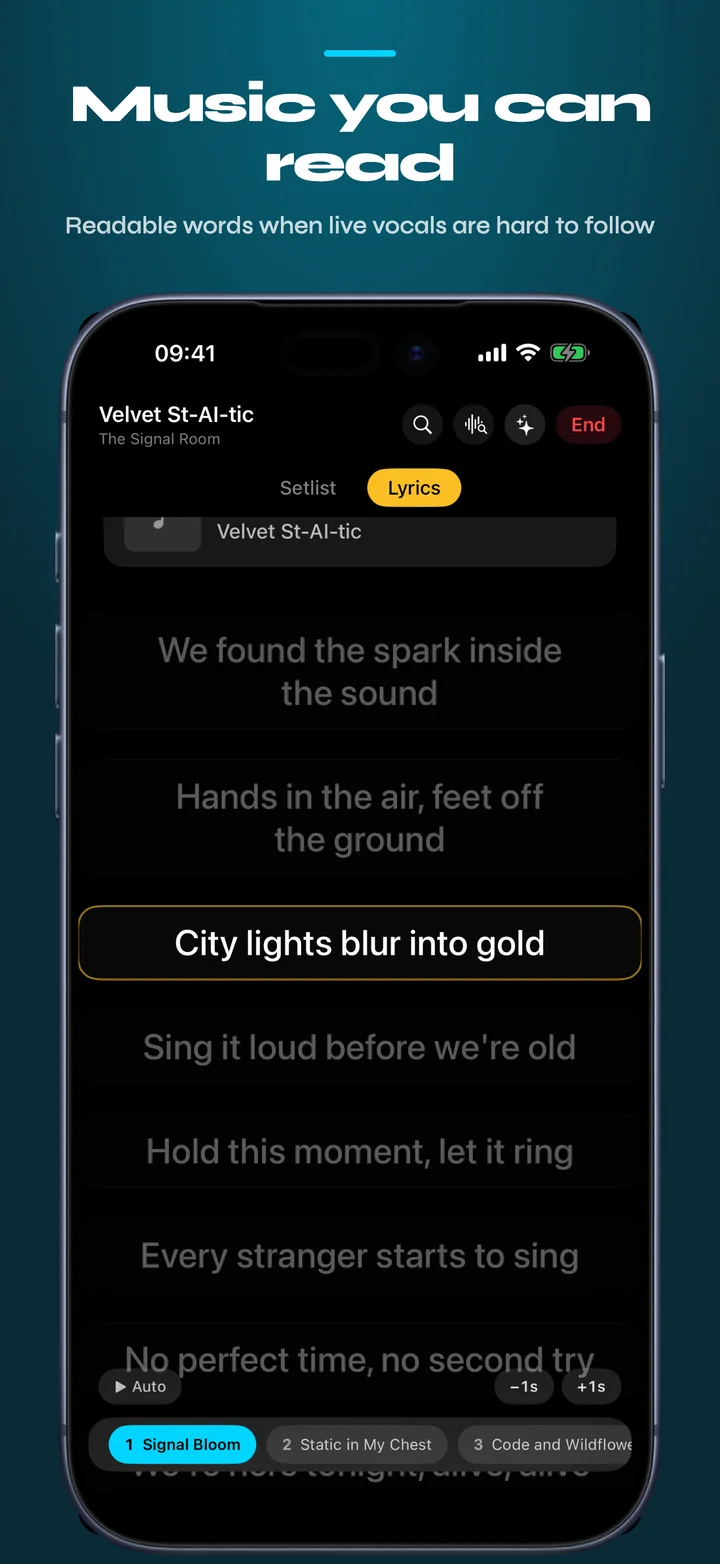
Manual mode
Pick the song from the setlist and keep the words moving yourself.
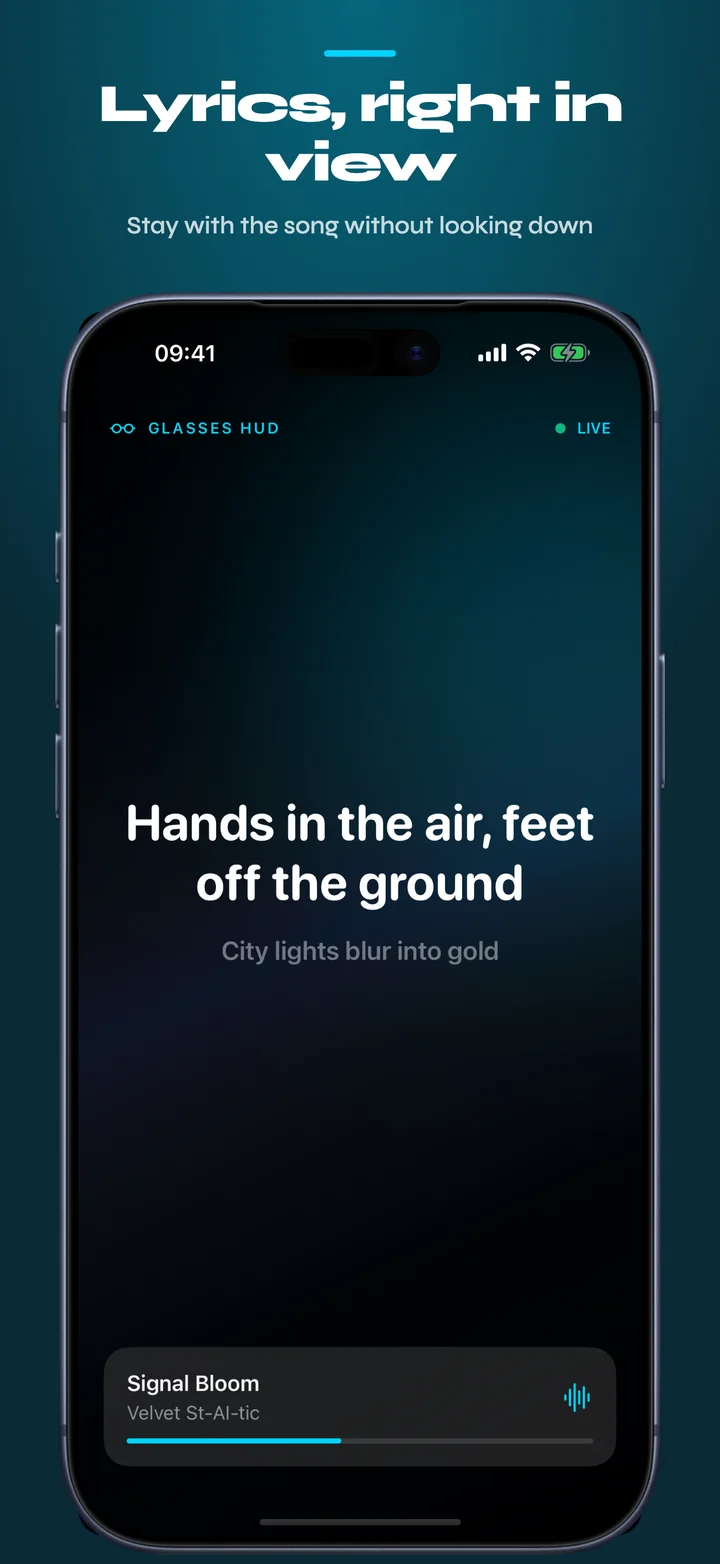
Glasses HUD
Keep the current line in view while your attention stays onstage.
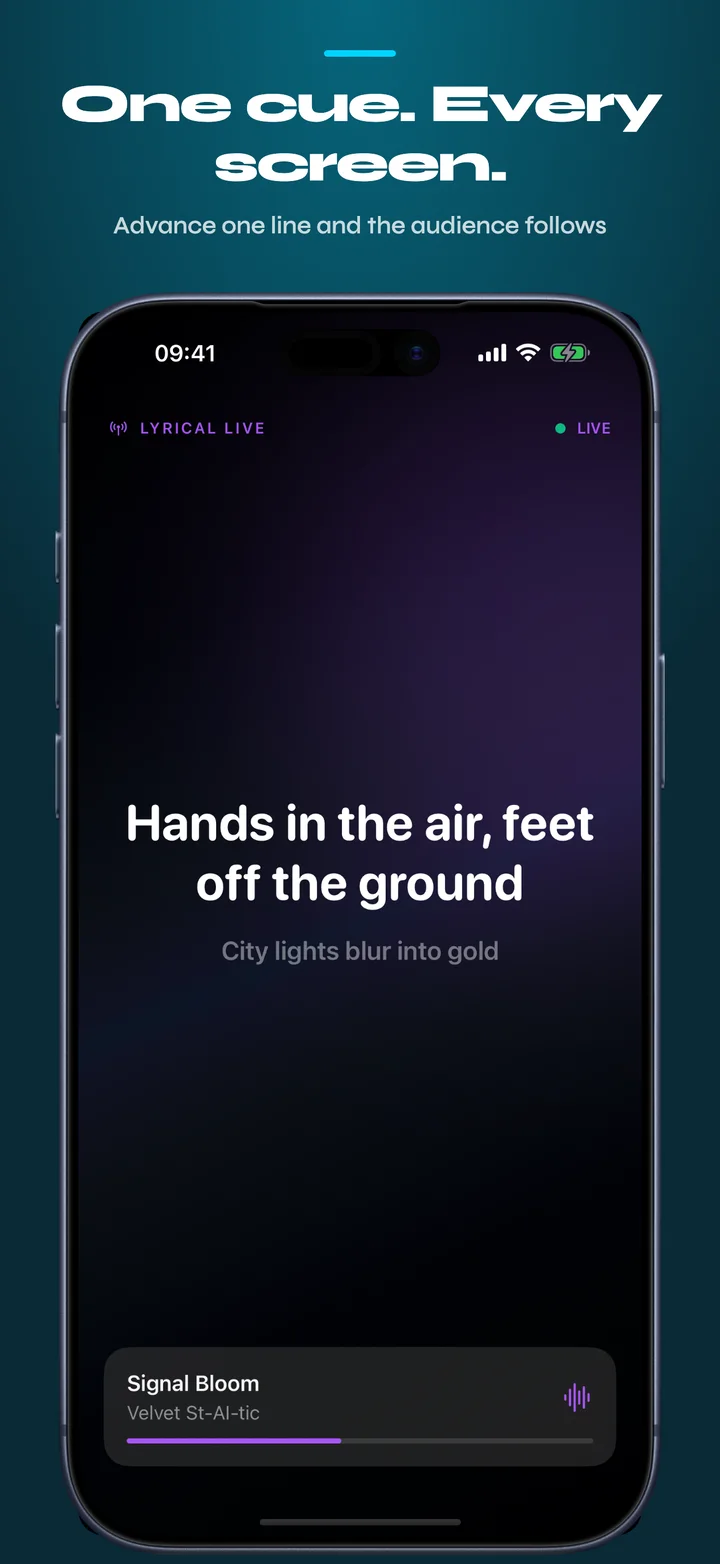
LiveSync
At LiveSync shows, the crew advances the lyrics for everyone.
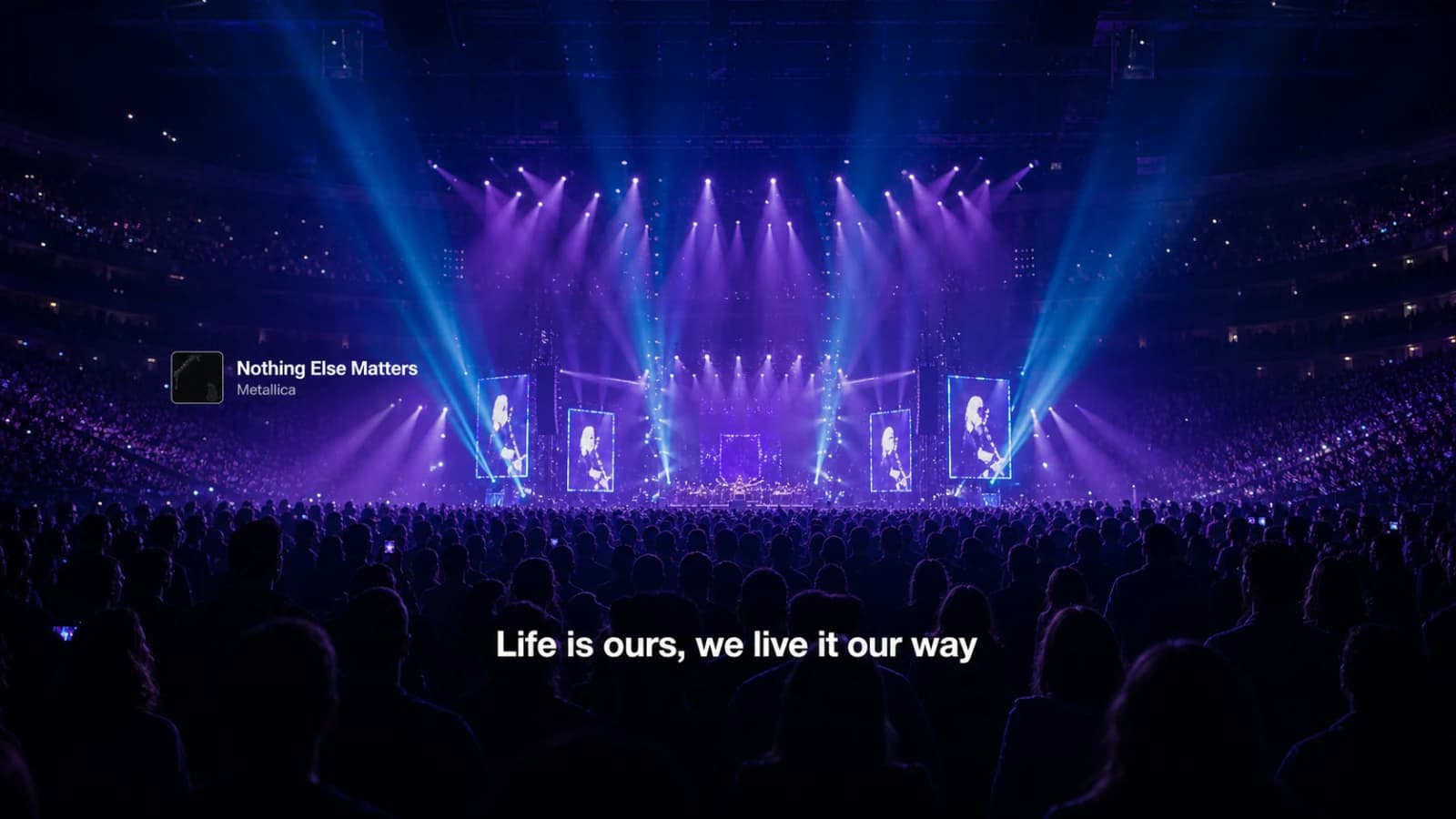
AI / AR / XR glasses
Read along while you watch the stage
Read lyrics through Vision Pro, XREAL, Even Realities G2 and Meta Ray-Ban Display while the concert remains in view.
Concert lyric controls
Control the timing, or follow the crew
Venue optional
You choose the song
Manual setlist mode
Your display
Phone or glasses
Timing stays in your hands
At the show
Readable lyrics
No venue setup required
Venue-led
FOH cues the line
LiveSync follows the performance
Audience joins
A short concert code
Browser access, no account
Across the room
Readable lyrics
One cue, every screen
what changes
Choose your concert mode
Manual setlist mode lets you pick the song from the concert setlist. Read along and adjust the timing when the band changes pace. You control it from your phone.
LiveSync lets the show crew advance each line for the audience. Join in a browser with the concert code to follow their timing.
You can also read lyrics on supported glasses, including Even Realities G2 and Meta Ray-Ban Display, while you watch the stage.
questions
Accessibility questions
- Can deaf and hard-of-hearing people use Beyond Chorus at concerts?
- Yes. Choose a song from the concert setlist and read along on your phone or supported glasses. At LiveSync shows, the crew controls the lyric timing for you.
- How does it work at any concert?
- Open the setlist for the show, tap the song being played, and follow the lyrics in manual mode. You control the song and timing directly from your phone.
- What changes at a LiveSync show?
- With LiveSync, the front-of-house operator advances the lines for everyone at once, so the timing tracks the actual performance rather than a recorded version. Audience members join in a browser with a short code.
- Does it work on glasses instead of a phone?
- Yes. Vision Pro, XREAL, Even Realities G2 and Meta Ray-Ban Display can place the current lyric in your line of sight, so the stage and the words stay together.
- Does any of this cost money?
- Following lyrics at a concert in manual mode or through LiveSync is free. Beyond Chorus Pro adds translation, playlist export, and watermark-free recaps.
- How do I add a song missing from the setlist?
- Search the artist's songs, including by a lyric line, and choose the track. Beyond Chorus adds it to the running setlist so you can continue reading.
Keep reading
Lyrics at concerts
How setlist mode keeps lyrics moving when the crowd gets loud.
Lyrics on Even Realities G2
Read the line in your field of view and keep watching the stage.
For venues and crews
Cue lyrics and effects for the audience from your browser.
Common questions
Pricing, devices, lyric sources, and what needs a connection.