Even Realities G2
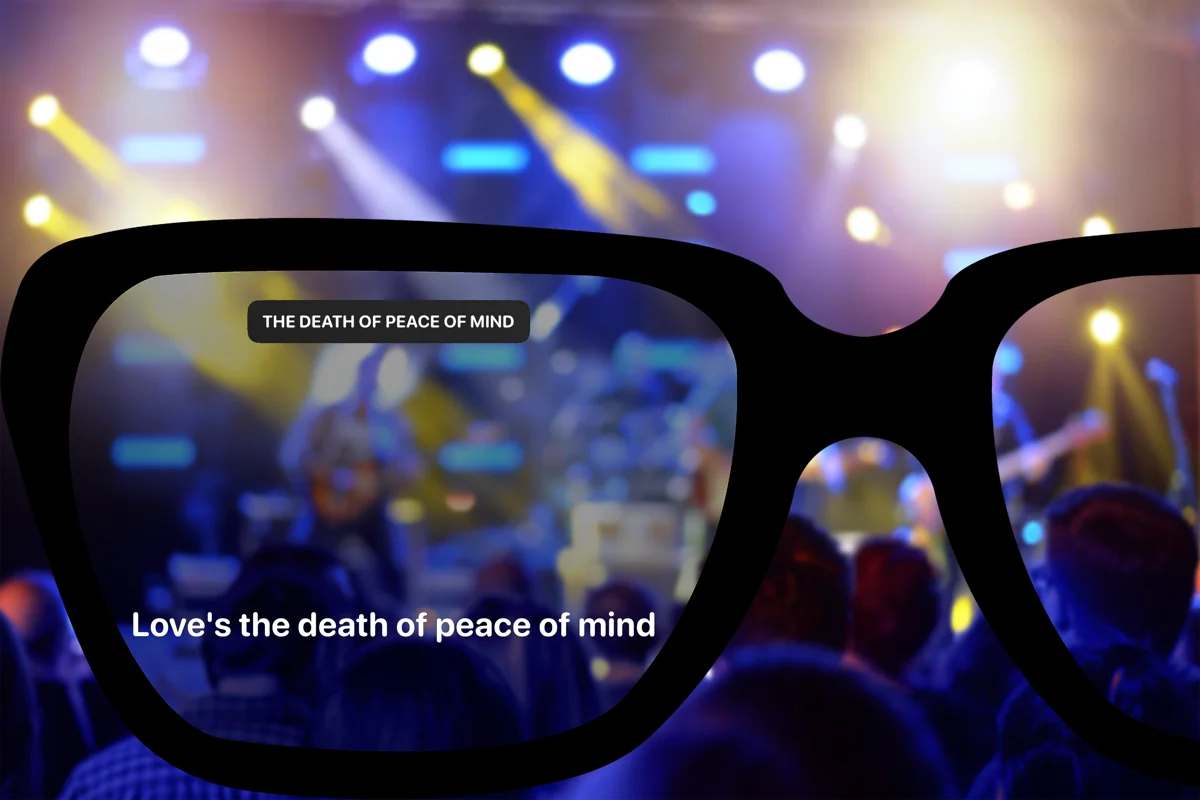
Lyrics on the G2, two lines at a time.
Read the current lyric and the next line on your G2 glasses. Your phone recognises the song and keeps the words moving.
what you get
What Beyond Chorus looks like on G2
Start recognition on your phone, choose a song from a concert setlist, or join a LiveSync show. Beyond Chorus sends the lyrics to your glasses.
The monochrome display shows two lines: the current lyric and the next one. Artwork, playback controls, and visual effects stay off the G2 display.
setup
Set up your G2
01
Pair the G2 with your phone
Pair your glasses in the Even Realities app first. Beyond Chorus uses that connection to send lyrics.
02
Open Beyond Chorus and choose Glass output
Select your G2 profile in Beyond Chorus. The glasses show the current lyric and the next line.
03
Start a song, then put the phone away
Recognize a track, join a LiveSync show, or pick the song from a concert setlist. Lines advance on the glasses; the phone only needs to stay in range.
support
What works and what does not
| iPhone | iOS 17 or later | Yes |
|---|---|---|
| Android | API 26 or later | Yes |
| Line capacity | Current line plus the next one | Yes |
| LiveSync concerts | Operator-driven lines reach the glasses | Yes |
| Manual setlist mode | Pick the song yourself at any show | Yes |
| Visual effects | Text-only display; effects stay on phone and XR | No |
| Artwork and album covers | Not rendered on the G2 display | No |
questions
Even Realities G2 questions
- Does Beyond Chorus work with Even Realities G2?
- Yes. Beyond Chorus supports Even Realities G2 (also written EvenG2 or Even G2) on both iPhone and Android. Lyrics render on the G2 heads-up display while your phone handles recognition and lyric fetching.
- How many lines of lyrics fit on the G2 display?
- Two. The G2 is a text-first heads-up display, not a spatial screen, so Beyond Chorus renders the current line and the next one. Longer lines wrap rather than scroll off.
- Do the G2 glasses show visual effects?
- The G2 shows text only. Fire, confetti, strobe, and other LiveSync effects stay on phone and XR displays.
- Does this work at a concert?
- Yes. Both concert modes reach the glasses: manual setlist mode, where you pick the song yourself, and LiveSync, where the show's operator drives the lines.
- Do I need Beyond Chorus Pro to use G2 glasses?
- No. Glasses output is available on the free tier. Beyond Chorus Pro adds translation, playlist export, watermark-free recaps, and multiple saved glasses profiles.
- Does the phone need to stay unlocked?
- The phone does the listening and lyric fetching, so Beyond Chorus needs to be running. It can be in your pocket, but a fully backgrounded or force-quit app stops the feed.
Keep reading
All supported glasses
Compare supported models and their lyric displays.
Lyrics on XREAL
Connect XREAL over USB-C for the full lyric view and visual effects.
Lyrics at concerts
Pick the song from the setlist when crowd noise makes recognition difficult.
Accessible concert lyrics
Reading the words instead of straining to hear them.