NEW · TESLA PHONELESS · PRO
Your Tesla. Your music.
Your phone can take a back seat.
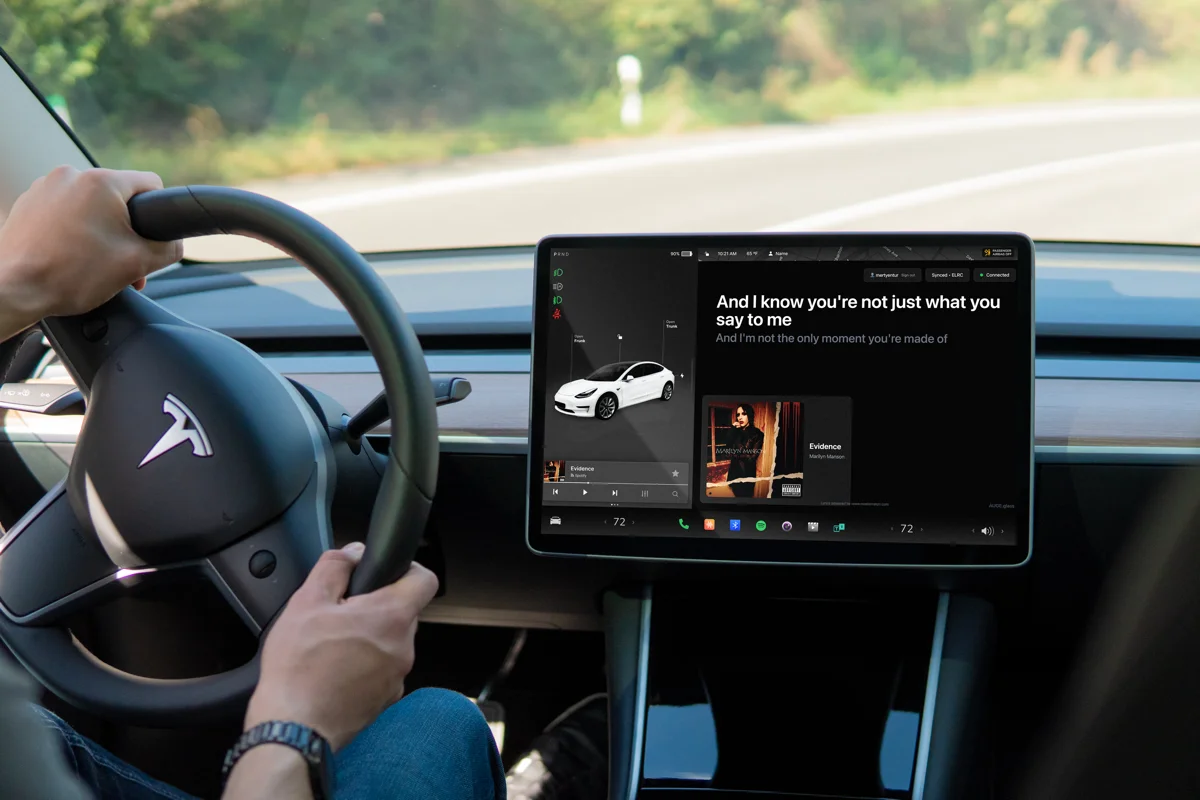
Phoneless Tesla mode is here. Connect once with Beyond Chorus on your phone. Then the car brings the lyrics, without using your phone’s microphone or keeping the app running.
Beyond Chorus Pro required. iPhone or Android app required for initial setup. For passengers or a parked car.
Tesla lyrics with your phone are still free. Pro adds the new phoneless option.
a new way to connect
The car knows what’s playing.
Play music in Tesla’s own player. Beyond Chorus reads the track your car reports and brings lyrics and available album artwork to the same familiar lyric display.
No phone microphone. No need to leave the phone app open. Your music keeps playing while the car browser follows along.
connect once
From your phone to your Tesla, in four steps
01
Open the car browser while parked
Open car-lyric.com/tesla and create a pairing code. Phoneless mode is included with Beyond Chorus Pro.
02
Connect once in the phone app
Scan the QR code with your iPhone or Android phone. Open Beyond Chorus, sign in, and upgrade or restore Pro if needed. Sign in to Tesla through its secure sign-in page.
03
Confirm your car
Choose your Tesla and confirm that the pairing code matches the car screen. Only approve the screen you are setting up.
04
Play music. Follow the words.
Return to the car browser. Lyrics follow the track your Tesla reports. Your phone does not need to listen or keep the app running. Use Re-check from car after skipping or pausing.
choose your mode
Phoneless with Pro. Phone pairing stays free.
| Tesla phoneless · Pro | One-time iPhone or Android setup, Tesla account connection, then direct car-browser lyrics. | Yes |
|---|---|---|
| Phone-paired · Free | Your phone recognises music and sends lyrics to a compatible car browser. Keep the phone app running. | Yes |
| Playback information | Phoneless availability and timing depend on the music data Tesla reports. | Yes |
| Offline use | Internet is needed for vehicle reads and new lyrics. | No |
questions
Your Tesla questions, answered
- What does phoneless mean?
- Your iPhone or Android phone is used for the initial Tesla account connection in Beyond Chorus. After that, the car browser reads the music playing in your Tesla. No phone microphone or running phone app is needed for lyrics. Internet access is required.
- Is Tesla mode free?
- Yes. Tesla lyrics with your phone are still free, with no daily song limit. Pro adds the new phoneless option; existing phone pairing stays free. In free mode, keep the phone app running to recognise music and send lyrics to the car.
- Does it work with Android?
- Yes. Use the Beyond Chorus Android app to sign in, upgrade or restore Pro, connect Tesla, and confirm the car’s pairing code. After setup, the same car-browser player works with either phone platform.
- Do I connect my Tesla account?
- Yes, for phoneless mode. Tesla handles your sign-in; Beyond Chorus uses read-only access to the music data your car reports. Free phone pairing does not require a Tesla account connection.
- Which music sources work?
- Phoneless mode uses the title, artist and playback information Tesla makes available. Availability and timing vary by source; lyrics must be available for the song. It does not sign in to Spotify or Apple Music separately. Use free phone recognition when your car does not report useful track information.
- What happens when I skip, pause or seek?
- Use Re-check from car to read the latest track and timing. The button briefly disables between reads and shows when it is ready again. The player also checks at the expected end of a song when timing is available.
- How long does the connection last?
- The car browser can stay paired for up to 30 days. Pro must remain active. You can disconnect in the car at any time; expired Pro can be restored in the phone app before checking access again.
- Do I install anything in the car?
- No. Open car-lyric.com/tesla in the built-in Tesla browser. No phone audio capture is needed after setup.
- Can the driver read along?
- Car lyrics are for passengers or a parked car. Drivers must not read or interact with the screen while driving.
- Where do the lyrics come from?
- Lyrics come from Musixmatch under licence, using the source’s words and timing.